Mobile App of Snau! - Pomodoro Online Learning
Snau! is a learning mobile app designed to help Grade 12 students master high school subjects. It features a Pomodoro-based study system for a comfortable and enjoyable experience, an integrated study alarm, and expert consultations to help students explore their interests and talents.
Client:
Personal Project
Year:
2021
Type:
Mobile App
Role:
UI/UX Designer
Problem Statement
Grade XII students often experience study burnout and lack a clear path between academic mastery and future career direction.
Goal
To provide a focused, Pomodoro-based learning environment that balances academic success with expert career guidance.
The Design Process
Method that being used is Google Design Sprint method, to build Snau! in a fast and organized way. This approach helped us quickly turn our ideas into a working prototype, ensuring the final design effectively solved the problems of study stress and career planning for Grade 12 students.
User Journey
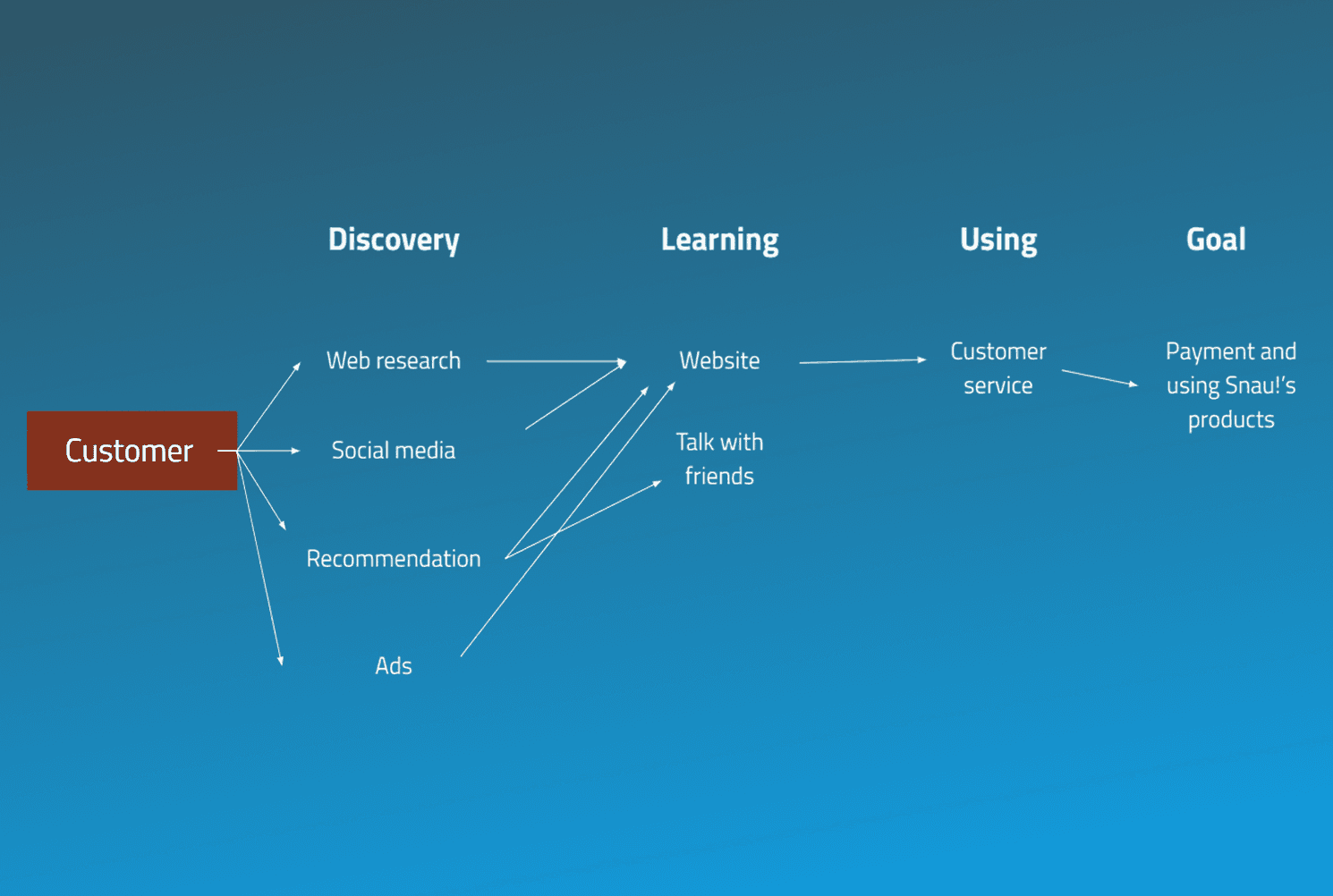
To understand how students interact with Snau!, mapped out the end-to-end journey from first awareness to becoming an active user. This helped us identify where friction occurs and what motivates students to keep going.
User Research
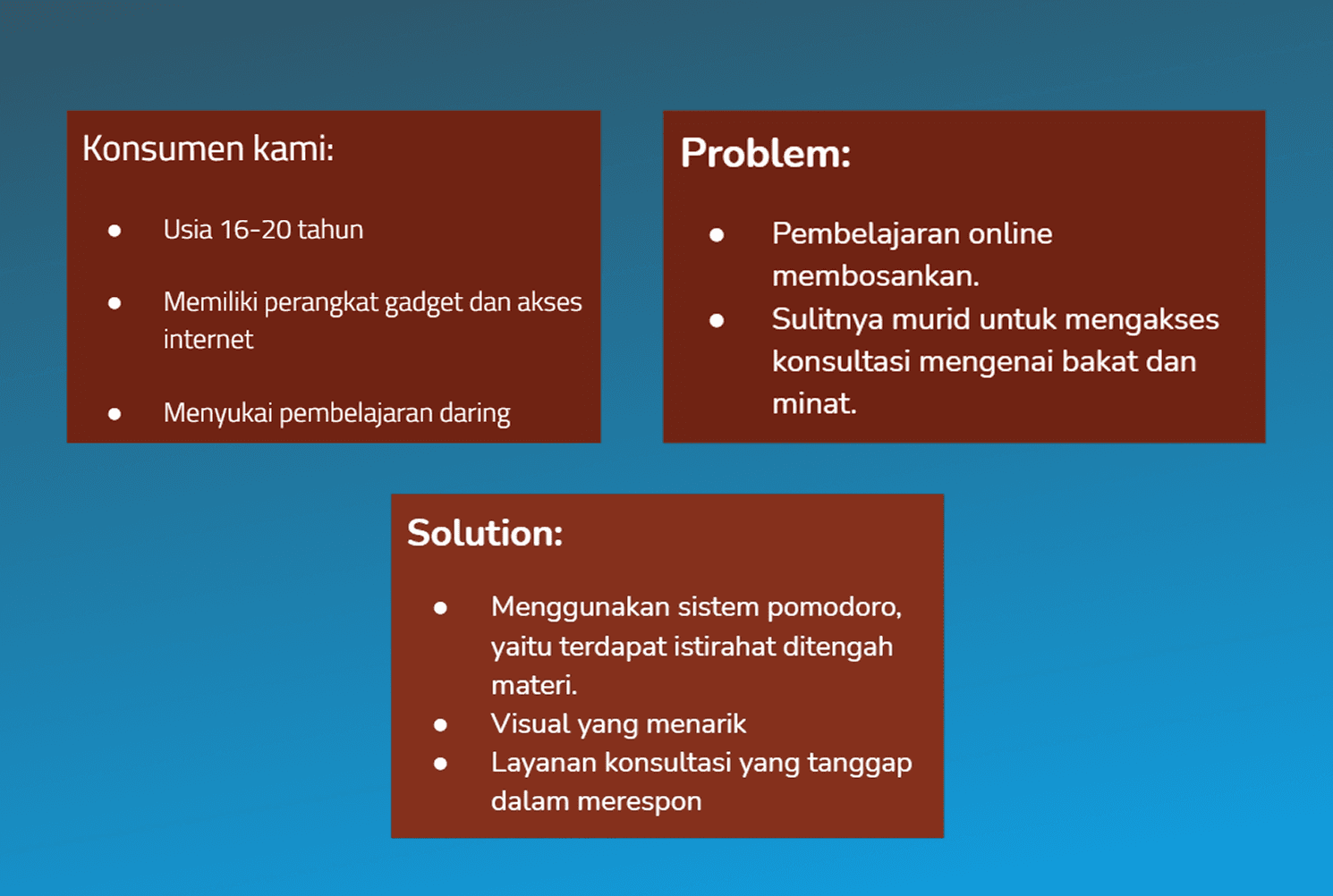
Before jumping into design, a deep understanding of the target users and their real problems was essential. This research phase became the foundation for every design decision made throughout the process. Research uncovered two key struggles, study burnout and lack of career guidance, which directly shaped Snau!'s core features.
Competitor Research
To understand the market landscape, three existing Indonesian learning platforms were analyzed: Zenius, Pahamify, and Kelas Pintar. This process helped identify gaps that Snau! could address.
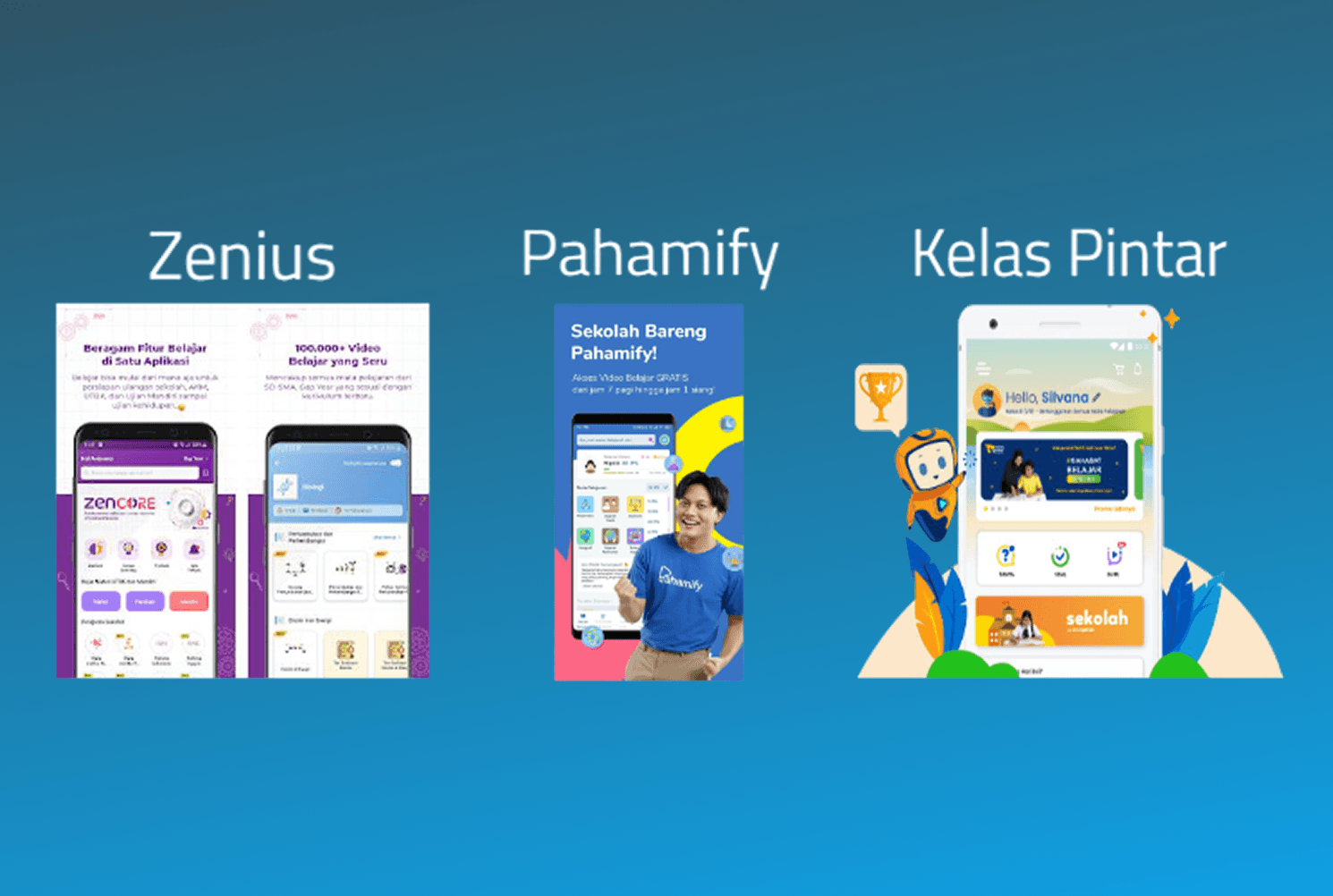
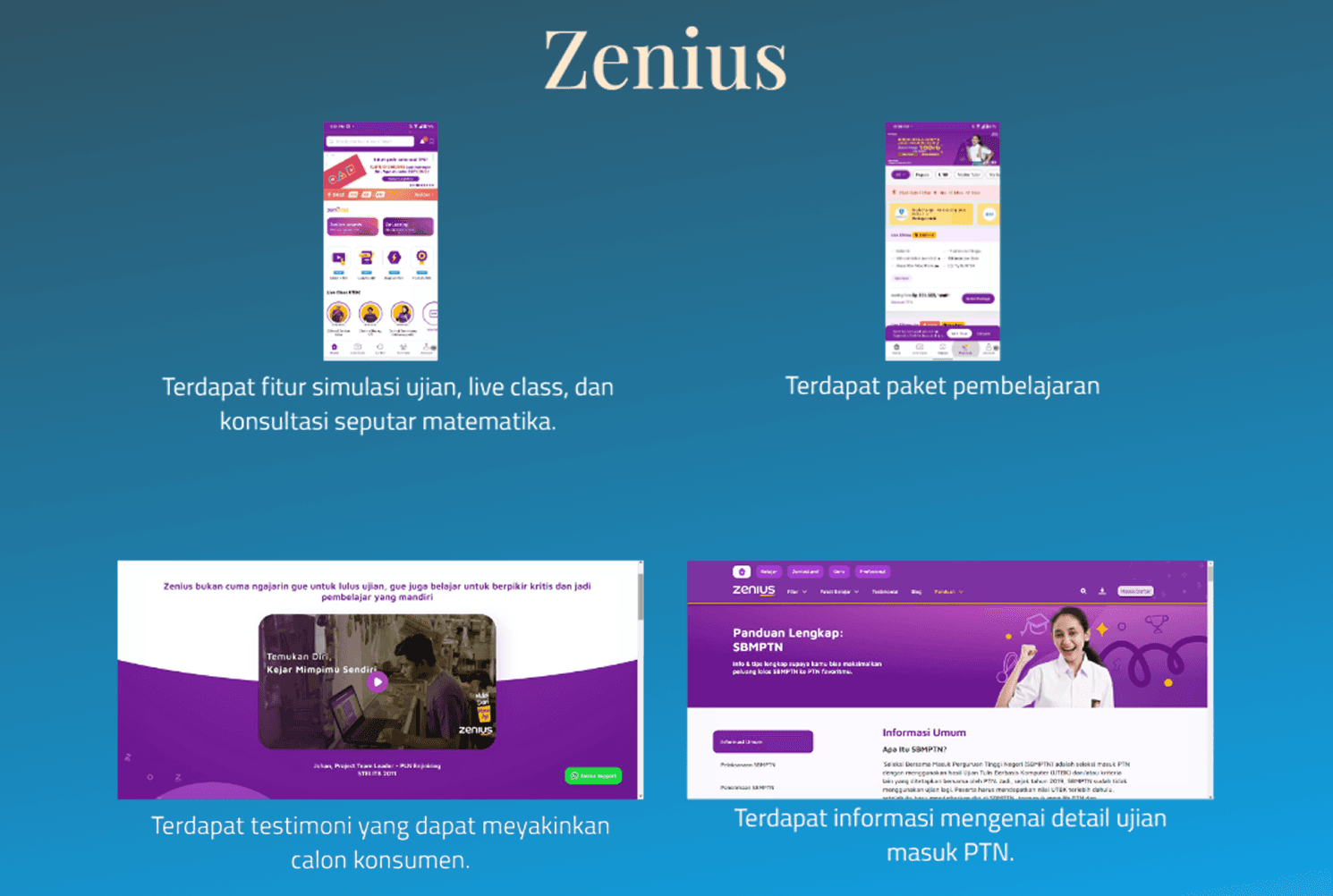
Zenius provided exam simulations, live classes, and structured learning packages focused on academic preparation.
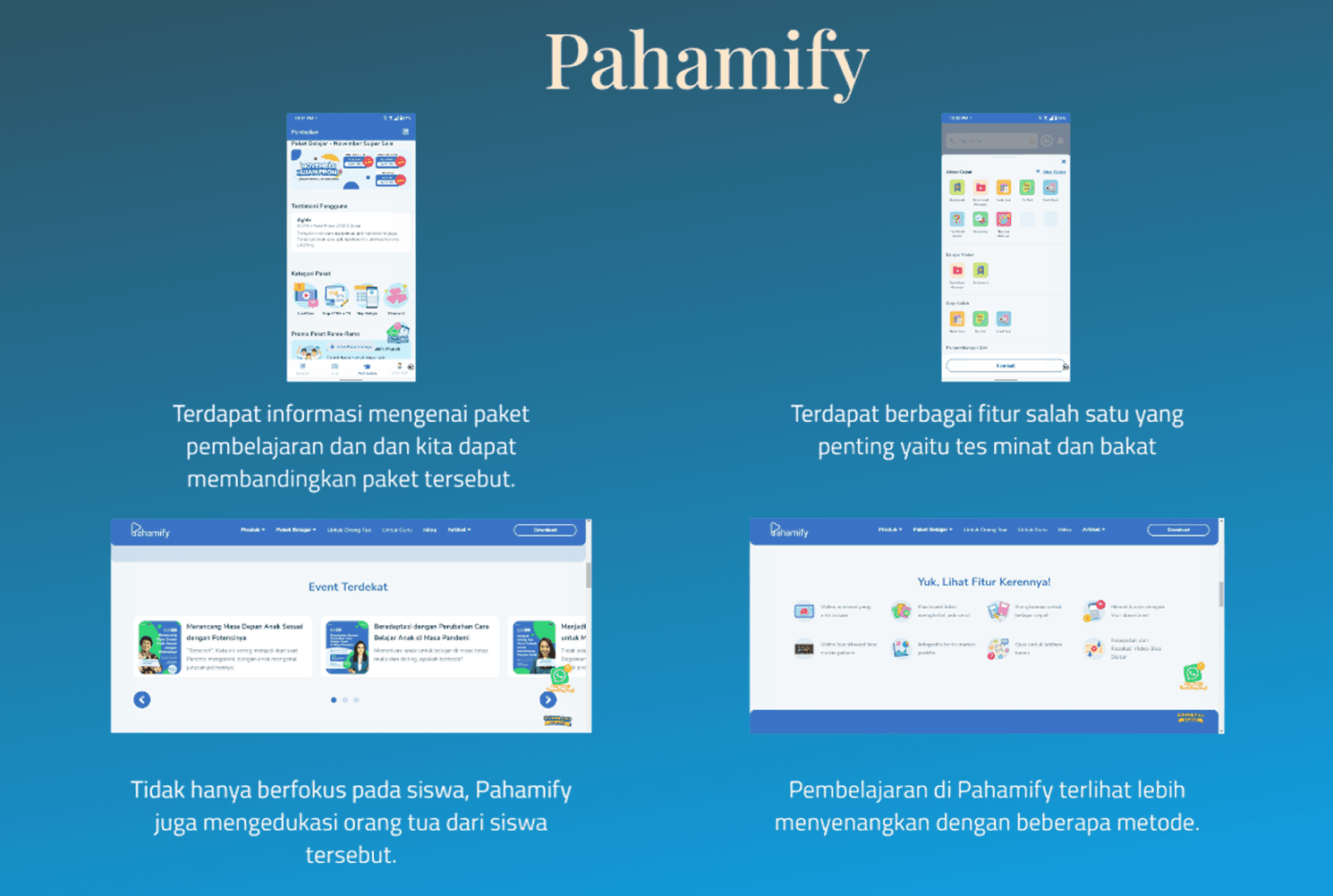
Pahamify offered interest and talent tests alongside parent-focused features, making it slightly broader than pure academics.
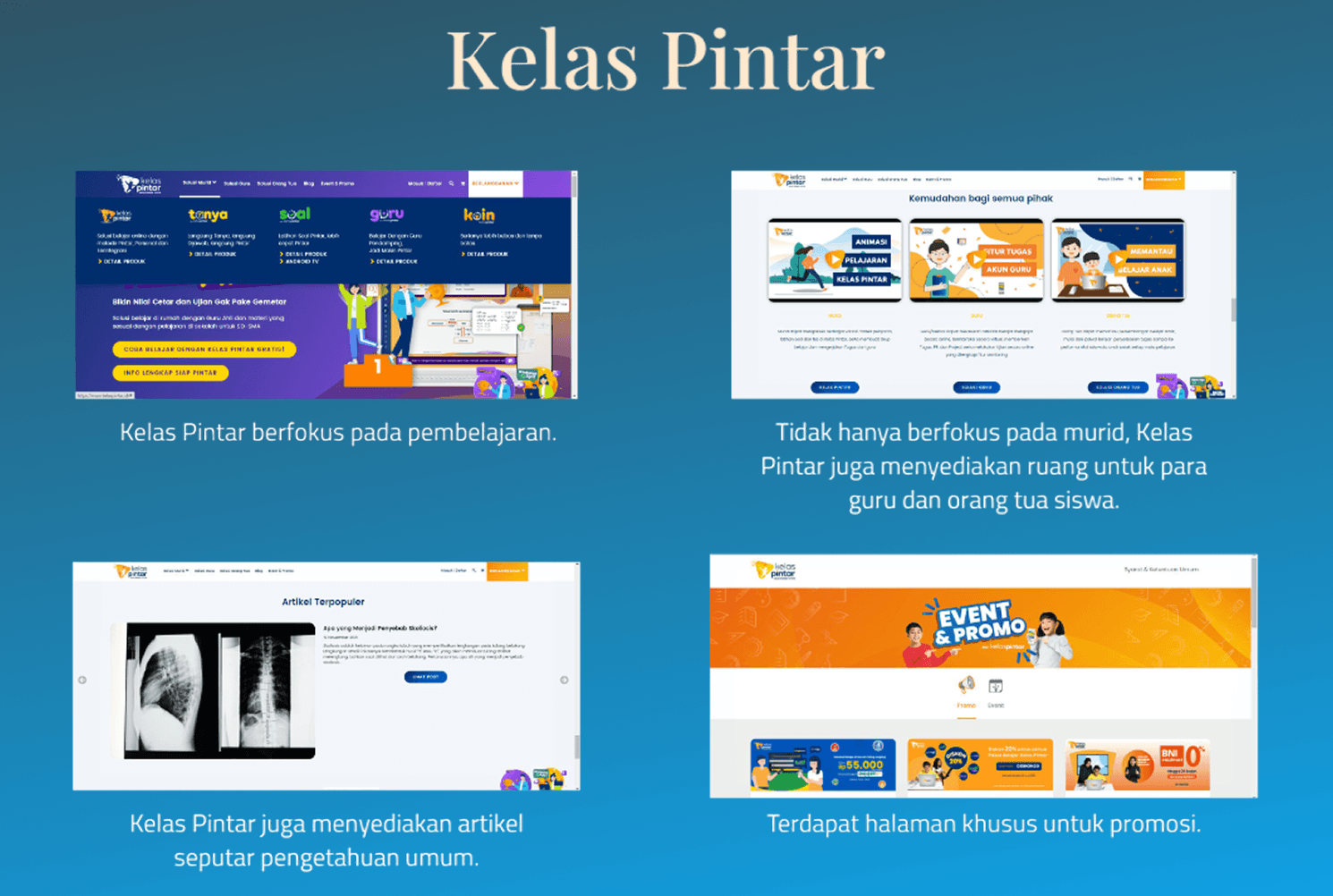
Kelas Pintar covered learning spaces for students, teachers, and parents with additional articles and promotional content.
None of them offered a structured study method combined with personalized career guidance, the exact gap Snau! was designed to fill.
Unique Idea
Based on the competitor research findings, these are the key unique ideas applied to Snau!:
A blog section for general knowledge beyond academic content
24/7 customer service for both existing and potential users
A dedicated space for teacher and parent education
Seasonal promotions to attract new users
Blue as the primary branding color, representing calmness and education
Talent and interest consultation as a core feature
Design System
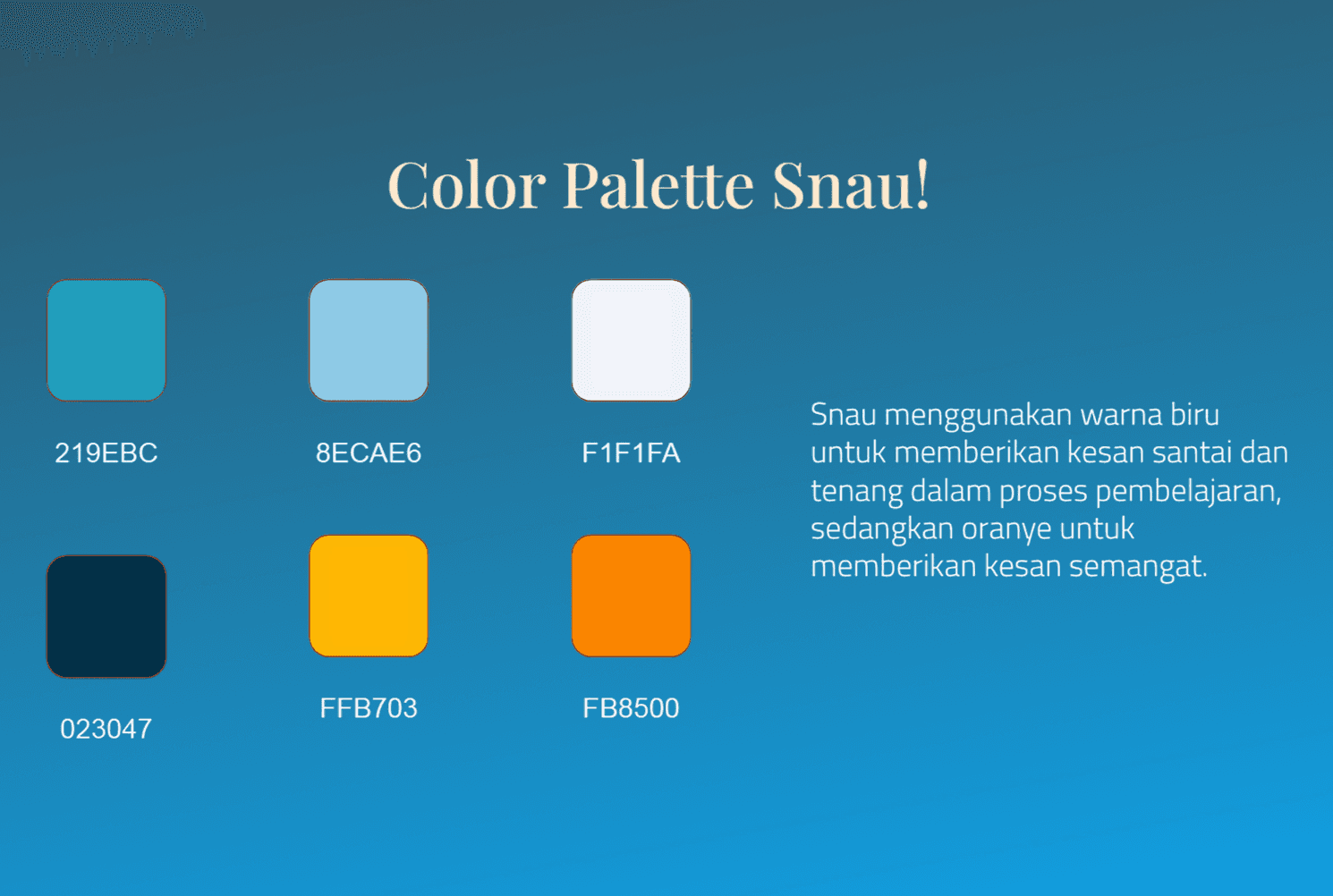
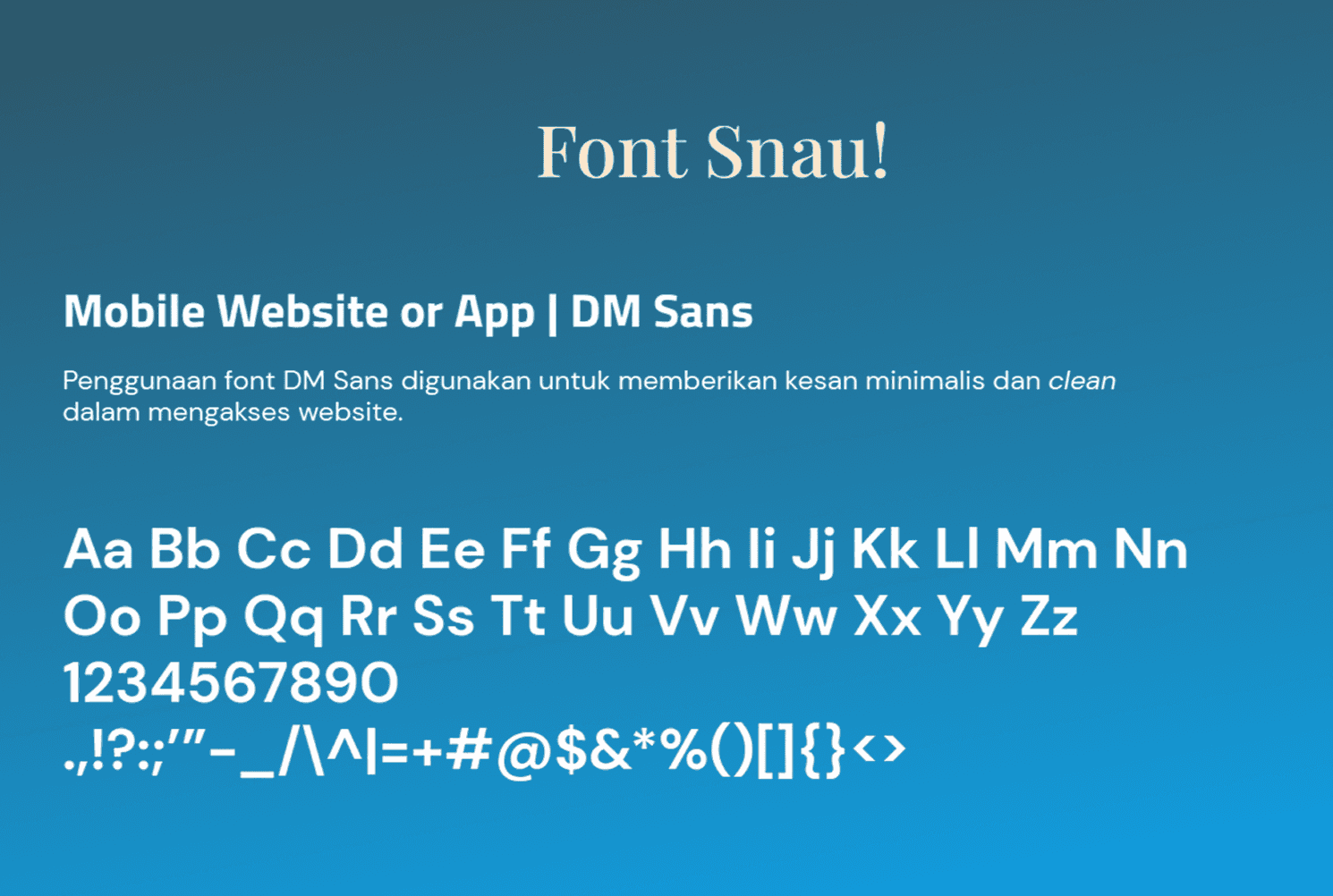
Before building the screens, a design system was established to ensure visual consistency throughout the entire app. Blue tones were chosen to evoke a calm learning atmosphere while orange accents bring energy and motivation, paired with DM Sans as the primary typeface to keep the interface clean, minimal, and easy to read.
Crazy8
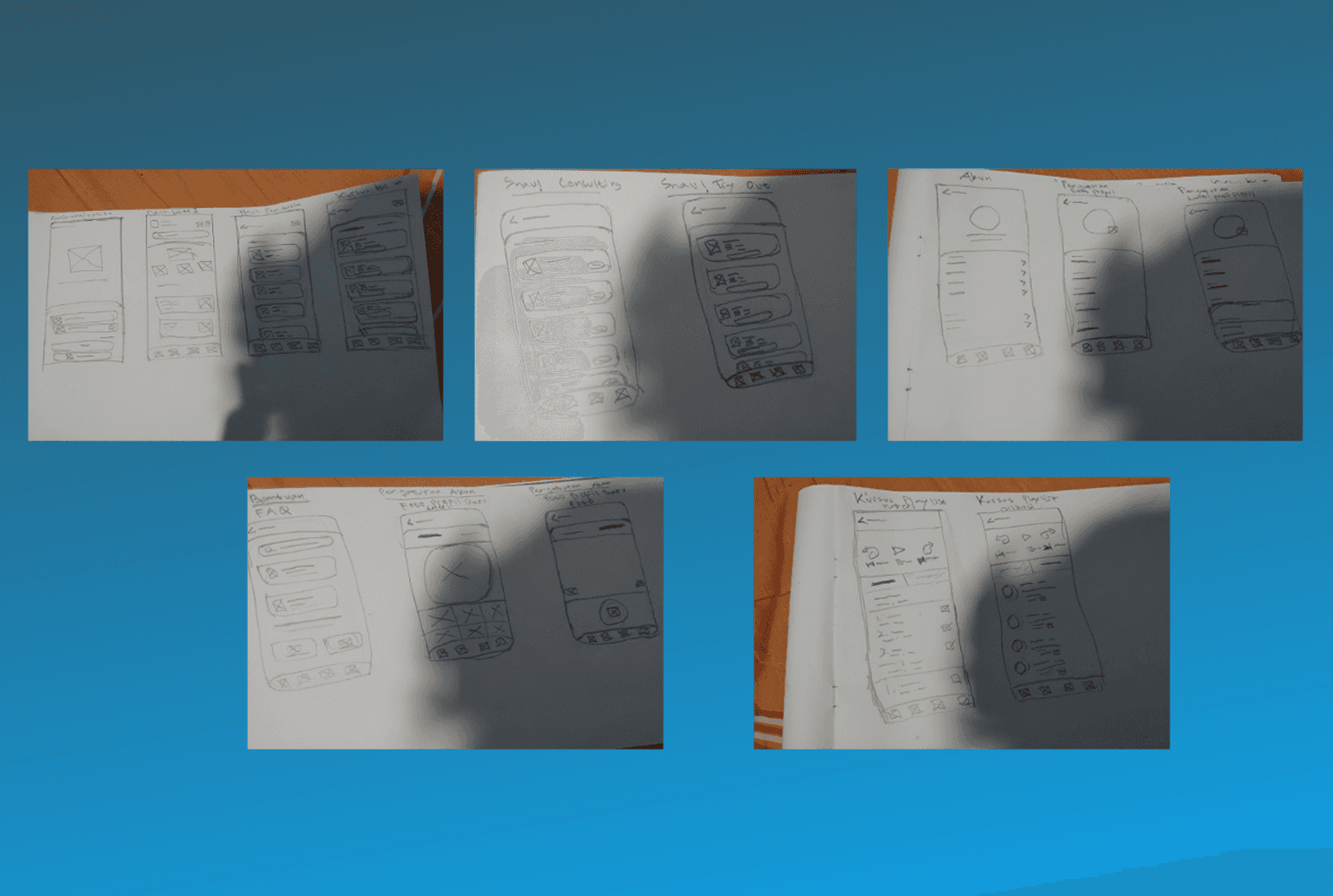
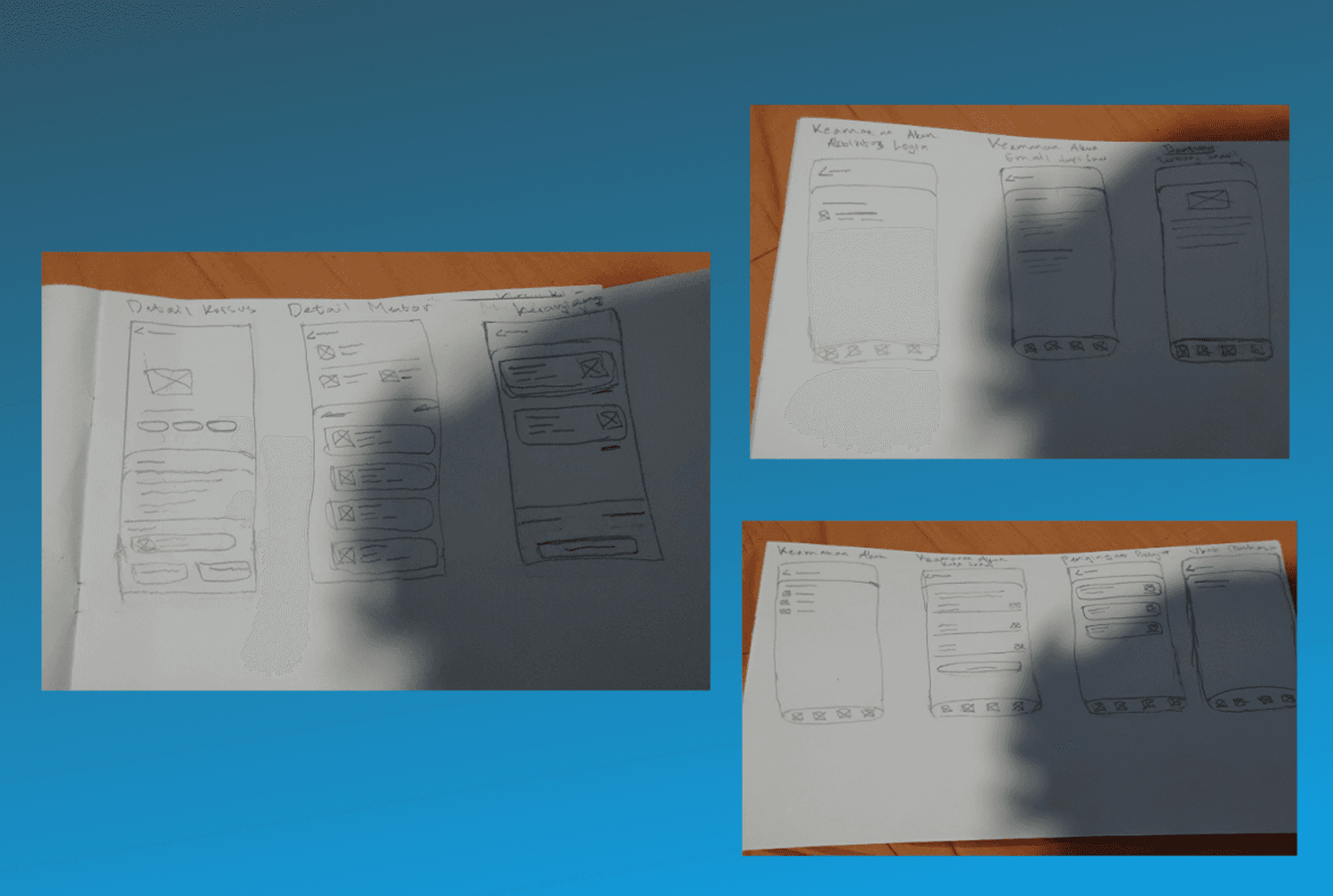
Before moving into digital design, key screens were rapidly sketched on paper to explore layout possibilities quickly. This included screens such as home, consulting, try out, profile, FAQ, course details, and payment flows, allowing for fast iteration before moving into high-fidelity design.
UI Design
With the design system in place, the sketches were translated into high-fidelity screens. The app was built around core areas covering the full student experience.
Login and Homepage
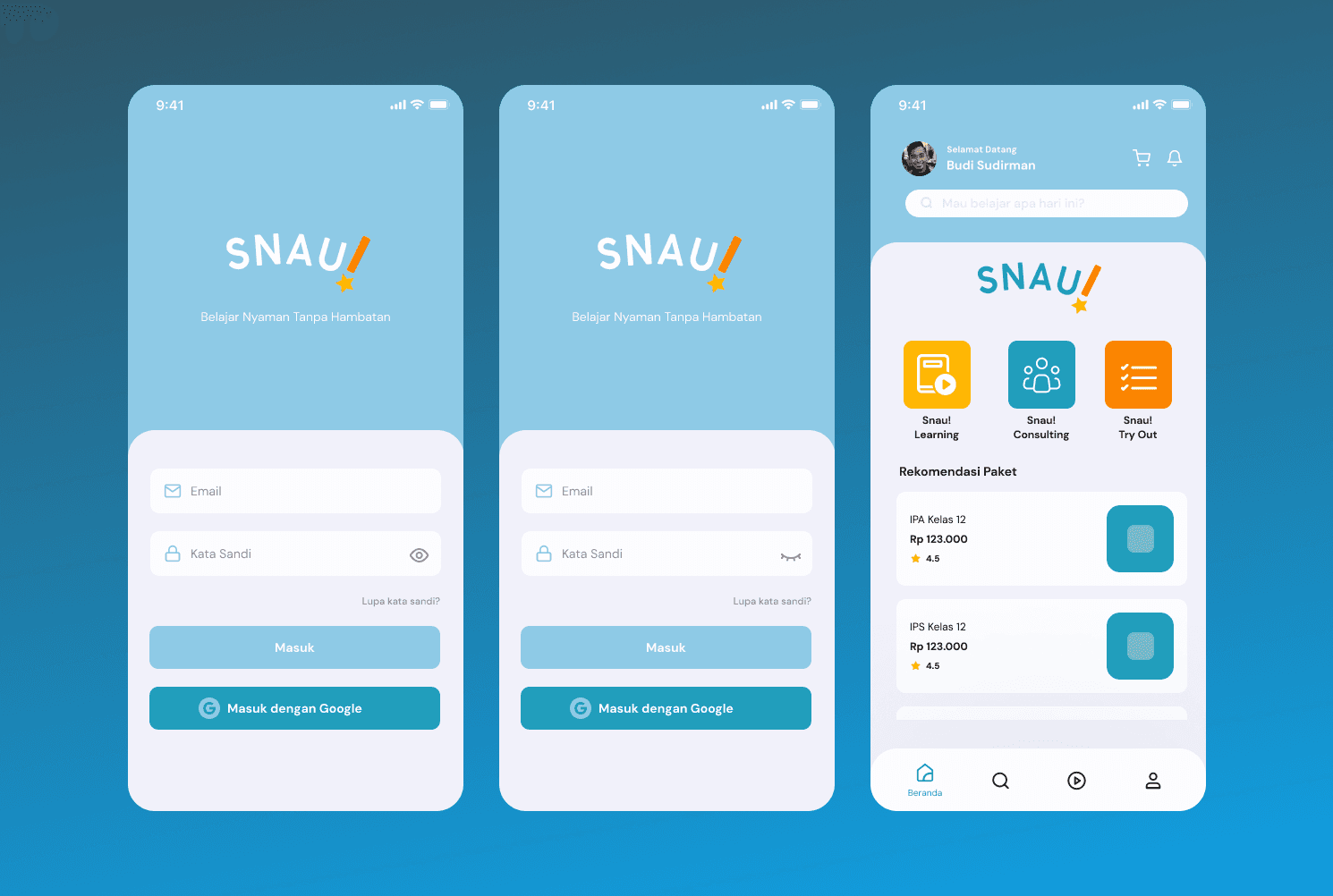
The login screen offers email and Google sign-in for quick and flexible access. Once logged in, the homepage greets the user by name and directly surfaces the three core features, Snau! Learning, Snau! Consulting, and Snau! Try Out, alongside personalized course recommendations to get students started right away.
Course Pages
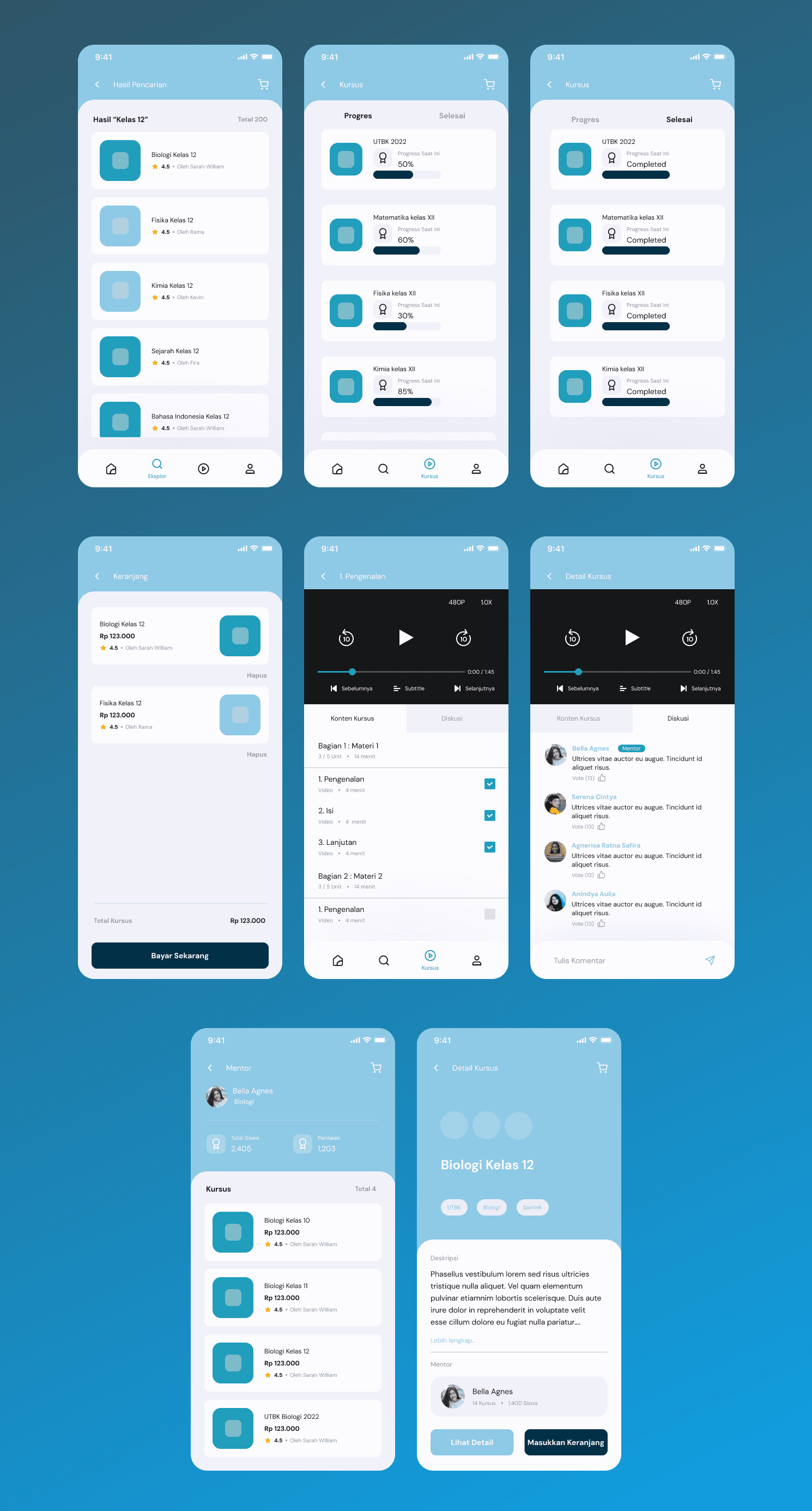
The course section covers the full learning journey from discovery to completion. Students can search courses, track progress, and manage their cart before payment. Each course detail page displays descriptions, mentor profiles, and ratings, with a built-in video player and discussion tab for an interactive learning experience.
Consoulting and Try Out Pages
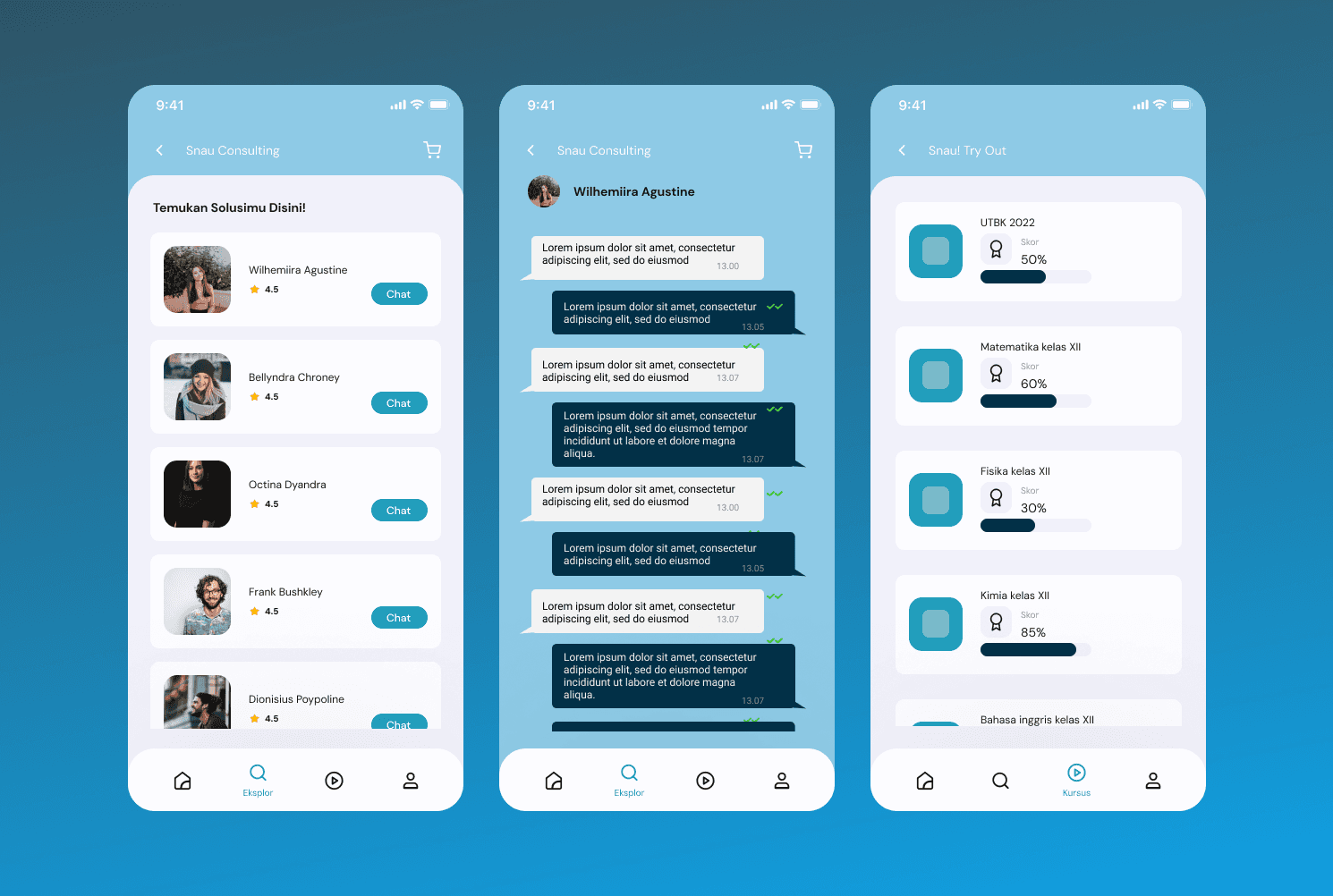
The consulting page presents a list of rated experts that students can directly chat with for personalized career and talent guidance. The Try Out page tracks subject-based scores with progress bars, giving students a clear picture of their exam readiness across multiple subjects.
Setting Pages
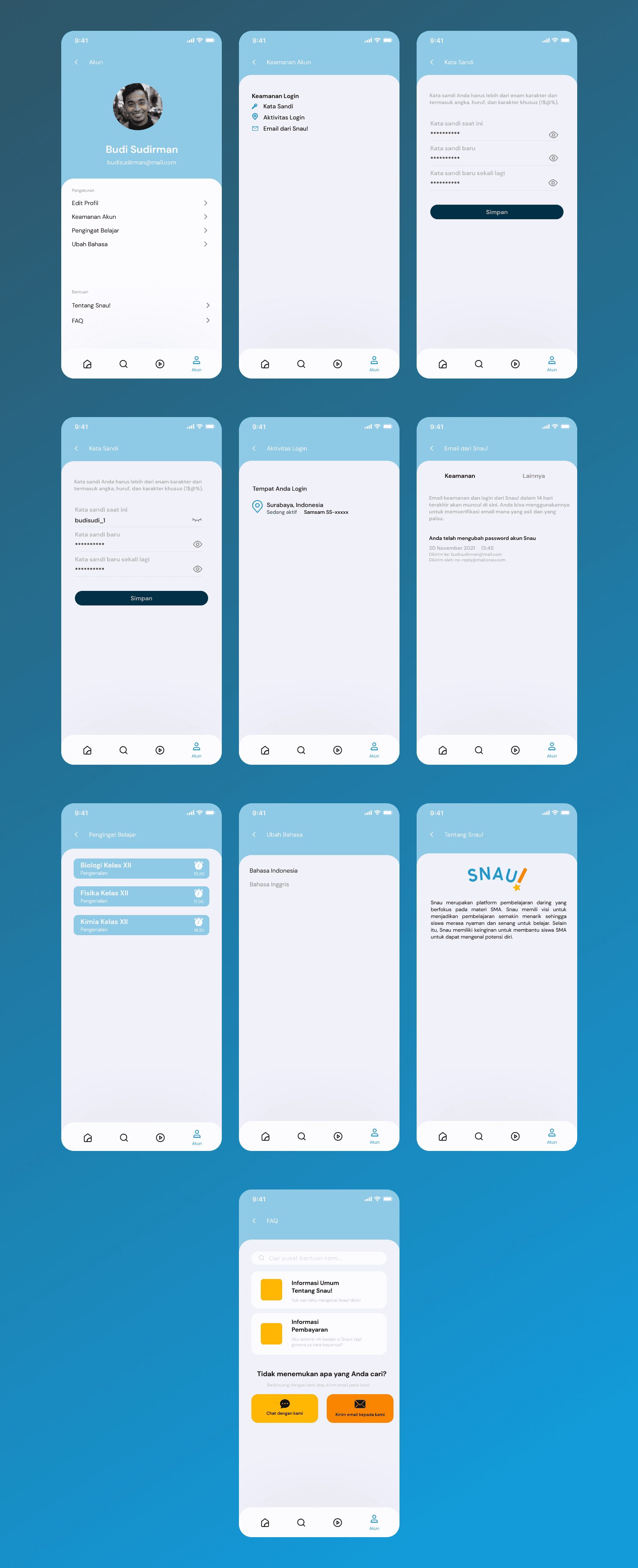
The settings section covers all account management needs including password changes, login activity, study reminders, and language preferences. An FAQ page with direct chat and email support is also available, ensuring students can get help whenever needed.
Profile Pages
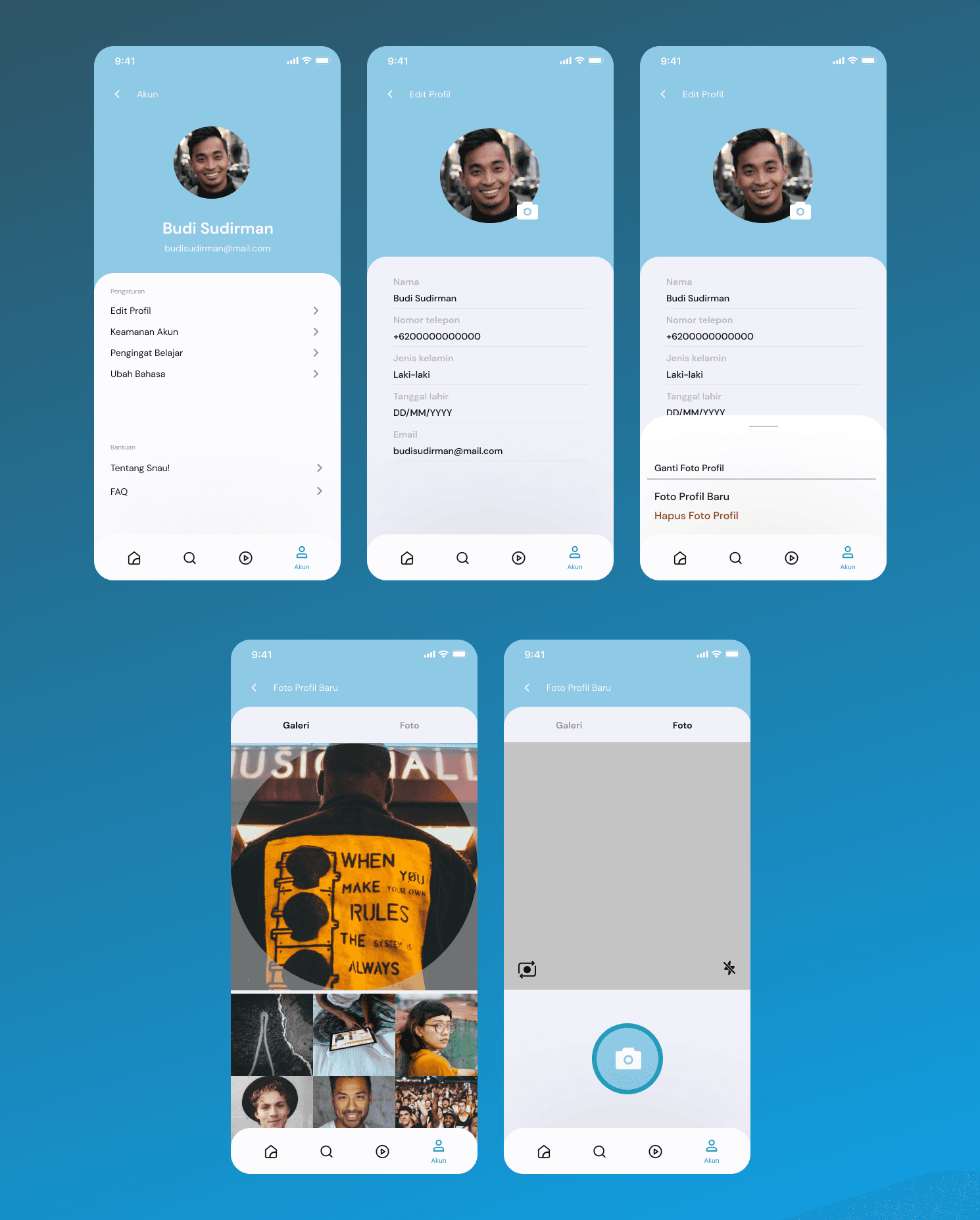
The profile section allows students to view and edit their personal information including name, phone number, and email. A profile photo feature is also available, letting students upload a new photo directly from their gallery or camera.
Conclusion
Snau! was one of my earlier personal projects and the first time I used Google Design Sprint. What made this project interesting was finding a real gap in the market, none of the existing Indonesian learning platforms combined a structured study method with career guidance. That gap became the whole direction of the app.
What I Learned
Competitor research gives you a real reason to exist. Without looking at what Zenius, Pahamify, and Kelas Pintar were already doing, Snau! would have just been another learning app. That research is what gave it a clear direction.
Crazy 8 changed how I start a project. Sketching fast before going digital stopped me from getting too attached to one idea too early. It's something I still carry into how I approach new projects now.
Mobile App of Snau! - Pomodoro Online Learning
Snau! is a learning mobile app designed to help Grade 12 students master high school subjects. It features a Pomodoro-based study system for a comfortable and enjoyable experience, an integrated study alarm, and expert consultations to help students explore their interests and talents.
Client:
Personal Project
Year:
2021
Type:
Mobile App
Role:
UI/UX Designer
Problem Statement
Grade XII students often experience study burnout and lack a clear path between academic mastery and future career direction.
Goal
To provide a focused, Pomodoro-based learning environment that balances academic success with expert career guidance.
The Design Process
Method that being used is Google Design Sprint method, to build Snau! in a fast and organized way. This approach helped us quickly turn our ideas into a working prototype, ensuring the final design effectively solved the problems of study stress and career planning for Grade 12 students.
User Journey
To understand how students interact with Snau!, mapped out the end-to-end journey from first awareness to becoming an active user. This helped us identify where friction occurs and what motivates students to keep going.
User Research
Before jumping into design, a deep understanding of the target users and their real problems was essential. This research phase became the foundation for every design decision made throughout the process. Research uncovered two key struggles, study burnout and lack of career guidance, which directly shaped Snau!'s core features.
Competitor Research
To understand the market landscape, three existing Indonesian learning platforms were analyzed: Zenius, Pahamify, and Kelas Pintar. This process helped identify gaps that Snau! could address.
Zenius provided exam simulations, live classes, and structured learning packages focused on academic preparation.
Pahamify offered interest and talent tests alongside parent-focused features, making it slightly broader than pure academics.
Kelas Pintar covered learning spaces for students, teachers, and parents with additional articles and promotional content.
None of them offered a structured study method combined with personalized career guidance, the exact gap Snau! was designed to fill.
Unique Idea
Based on the competitor research findings, these are the key unique ideas applied to Snau!:
A blog section for general knowledge beyond academic content
24/7 customer service for both existing and potential users
A dedicated space for teacher and parent education
Seasonal promotions to attract new users
Blue as the primary branding color, representing calmness and education
Talent and interest consultation as a core feature
Design System
Before building the screens, a design system was established to ensure visual consistency throughout the entire app. Blue tones were chosen to evoke a calm learning atmosphere while orange accents bring energy and motivation, paired with DM Sans as the primary typeface to keep the interface clean, minimal, and easy to read.
Crazy8
Before moving into digital design, key screens were rapidly sketched on paper to explore layout possibilities quickly. This included screens such as home, consulting, try out, profile, FAQ, course details, and payment flows, allowing for fast iteration before moving into high-fidelity design.
UI Design
With the design system in place, the sketches were translated into high-fidelity screens. The app was built around core areas covering the full student experience.
Login and Homepage
The login screen offers email and Google sign-in for quick and flexible access. Once logged in, the homepage greets the user by name and directly surfaces the three core features, Snau! Learning, Snau! Consulting, and Snau! Try Out, alongside personalized course recommendations to get students started right away.
Course Pages
The course section covers the full learning journey from discovery to completion. Students can search courses, track progress, and manage their cart before payment. Each course detail page displays descriptions, mentor profiles, and ratings, with a built-in video player and discussion tab for an interactive learning experience.
Consoulting and Try Out Pages
The consulting page presents a list of rated experts that students can directly chat with for personalized career and talent guidance. The Try Out page tracks subject-based scores with progress bars, giving students a clear picture of their exam readiness across multiple subjects.
Setting Pages
The settings section covers all account management needs including password changes, login activity, study reminders, and language preferences. An FAQ page with direct chat and email support is also available, ensuring students can get help whenever needed.
Profile Pages
The profile section allows students to view and edit their personal information including name, phone number, and email. A profile photo feature is also available, letting students upload a new photo directly from their gallery or camera.
Conclusion
Snau! was one of my earlier personal projects and the first time I used Google Design Sprint. What made this project interesting was finding a real gap in the market, none of the existing Indonesian learning platforms combined a structured study method with career guidance. That gap became the whole direction of the app.
What I Learned
Competitor research gives you a real reason to exist. Without looking at what Zenius, Pahamify, and Kelas Pintar were already doing, Snau! would have just been another learning app. That research is what gave it a clear direction.
Crazy 8 changed how I start a project. Sketching fast before going digital stopped me from getting too attached to one idea too early. It's something I still carry into how I approach new projects now.